How to Onboard or Register Your Health Facility

The general conditions for any health facility to onboard and/or register to use our services, is governed by our User Agreement. However, to practically be involved, there are more specific details and processes you need to know.

In this guide, we shall present to you:

  1. The general prerequisites to consider before deciding to subscribe to our system.
  2. The operational structure and dashboard utilities of a user health facility’s admin panel.
  3. How to set-up and manage employees.
  4. How to create and identify patients and doctors.
  5. How to setup wards and beds availability.
  6. How to create and manage service providers.
  7. How to conduct consultations, admit and discharge patients.
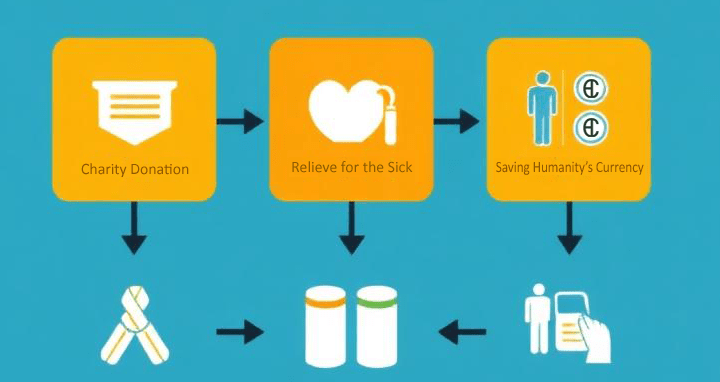
  8. How to use the opportunity for receiving public donations.
  9. How to use the pharmacy
hospital subscribe to CHUDATS
Thinking of subscribing your hospital to CHUDATS

1) General prerequisites to consider before deciding to subscribe to CHUDATS

If you are considering joining or onboarding , you need to:

  • Have a legally registered or constituted healthcare facility or structure.
  • Possess the authentic legalisation document of your healthcare structure.
  • Have a business email account or a dedicated email for the health structure. It is unwise to use personal email address to sign-up or register your healthcare structure because you may need the same email account to create your patient identification or registration, or another professional purpose within the system: (the system takes only one email at a time for a single purpose, cannot be duplicated)

Joining or subscribing begins with the Login page where, as a first time user, you need to look for and click the Sign-up page.

This page takes you to an information form where you have to fill and make sure you input correct details to avoid any faulty verification issues. 

Check your email account for the six digit OTP code and enter it in the new form to validate your account. If you don’t get the code in your inbox, check in the spam folder, it may be due to some temporary filters, and ensure the email you entered in the sign-up form is exact as the one you are checking the code in. 

After entering the code, you shall be taken to other section forms where you need to fill in and submit the details of your healthcare structure pending installation approval of the system admin.

2) Operational structure and dashboard utilities of a user health facility’s admin panel

Once you have fulfilled all the needed conditions and your healthcare structure is approved, at next login, you shall be taken to and welcomed in your hospital’s or health facility’s dashboard.

The dashboard presents different modules for the hospital admin to manage including:

  • Employees
  • Patients
  • Doctors
  • Consultations
  • Billings
  • Donations
  • Donation projects
  • Business account
  • User role
  • Pharmacy
  • Service Providers
  • Settings

The dashboard is also used by the hospital admin to see its recently added sub-healthcare units, doctors, patients, and employees. By navigating the modules, you, as the hospital admin can add and manage all other subordinate users.

Also visit and read...

Leave a reply

Previous Post

Next Post

Recent Comments

Join Us
  • Facebook
  • X Network
  • Instagram
  • WhatsApp Channel

Stay Informed With the Latest & Most Important News

I consent to receive newsletter via email. For further information, please review our Privacy Policy

Advert

Loading Next Post...

Follow Us
Search Trending
Popular Now
Loading

Signing-in 3 seconds...

Signing-up 3 seconds...