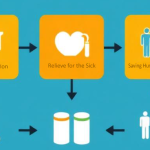
Get appointments with published doctors

In order to book an available time slot from the list of published doctors in our mobile app Heal the Sick (Playstore or Appstore), you must first of all sign-up if you are a new user, or sign-in if you are a returning user. Proceed accordingly:

  • On the landing page or home page of the mobile app, you can see the list of doctors.
  • Click on the list and scroll through the available doctors.
  • View their profiles and make your choice.
  • Within the book-appointment form, enter all the necessary details and the select your choice of doctor from the dropdown list.
  • Chose a day for consultation and the availability slots of the chosen doctor will display to pick the time for your consultation.
  • Complete the form and submit
  • Wait for your appointment time to join the video call    

NB. As an m-patient looking forward to attend your booked consultation, you may decide to upload your medical records or if it already exists, make it accessible or visible for your booked doctor to be able to check before the time of the actual consultation.

Good footing...

0 Votes: 0 Upvotes, 0 Downvotes (0 Points)

Leave a reply

Recent Comments

Join Us
  • Facebook
  • X Network
  • Instagram
  • WhatsApp Channel

Stay Informed With the Latest & Most Important News

I consent to receive newsletter via email. For further information, please review our Privacy Policy

Advert

Loading Next Post...

Follow Us
Search Trending
Popular Now
Loading

Signing-in 3 seconds...

Signing-up 3 seconds...