Exploit your opportunity to receive public donations
Public donations for a subscribed health facility is obtained in obtained through two ways. Our platform collects donation in a unique humanitarian currency Heal Coins or Heal-Cash. If you are an admin, you are able to access your settings module to check your exchange rates on the global currency calculator menu. You can also directly see the rates at the Global Currency Convertor.

Donations made to assist the sick

Donations made to assist the sick are only legitimately possible when certain conditions are made:

  • The subscribed health facility must have signed the “CHUDATS Charitable Donations Agreement (CCDA-1)” relating to conditions for receiving public donations for the sick.
  • The patient must have signed the CHUDATS Publication for “Public Donation Consent Form” or duly consented through other accepted means.
  • The patient must be sick, admitted, and have acceptably demonstrated vulnerability and inability to pay the treatment bills.

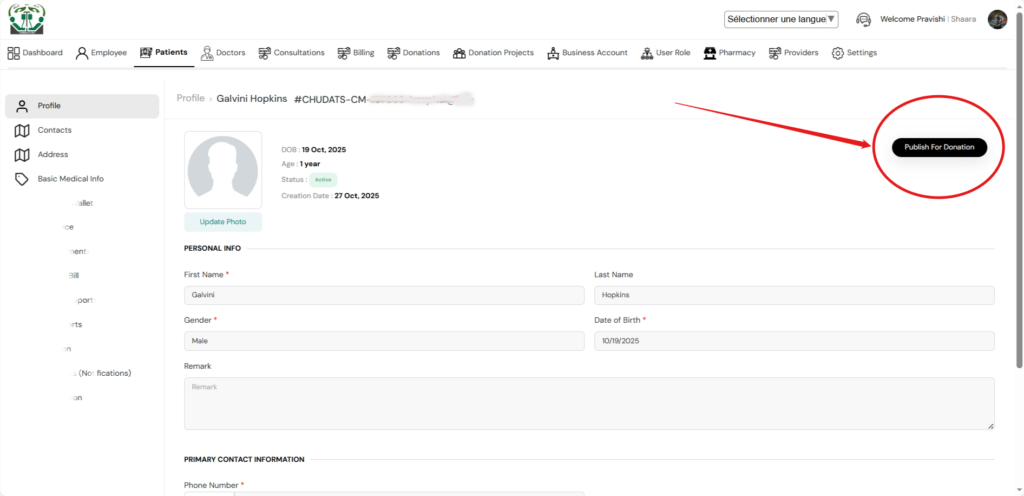
When all conditions are met, the health facility admin will see the publish patient for donation button on the profile

publish patient for donation

Once published the patient will appear on the list of patients in “Heal the Sick” mobile app for every app user to be able to appreciate and decide to show support.

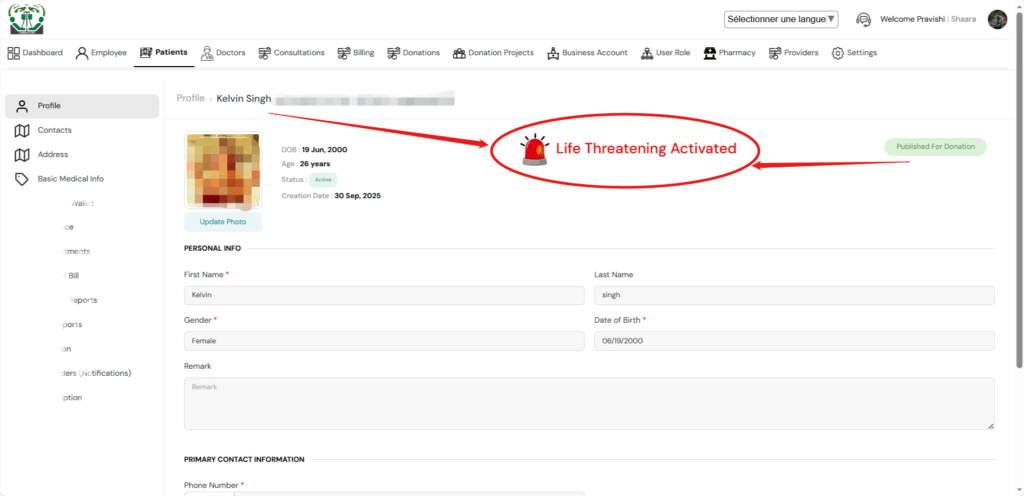
Also once patient is published for donation, the situation may be very critical, another button appears on the patient’s profile indicating a life threatening situation. If that button is applied, and the reasons for the emergency situation entered, the patient’s status on the mobile app will as well indicate the emergency icon to draw more attention to the case.

life-threatening alert

Donation for hospital projects

Each subscribed health facility is given an opportunity to create a single project or program in need of public support. It is possible to have two or more additional projects running for support simultaneously by contacting the system admin.

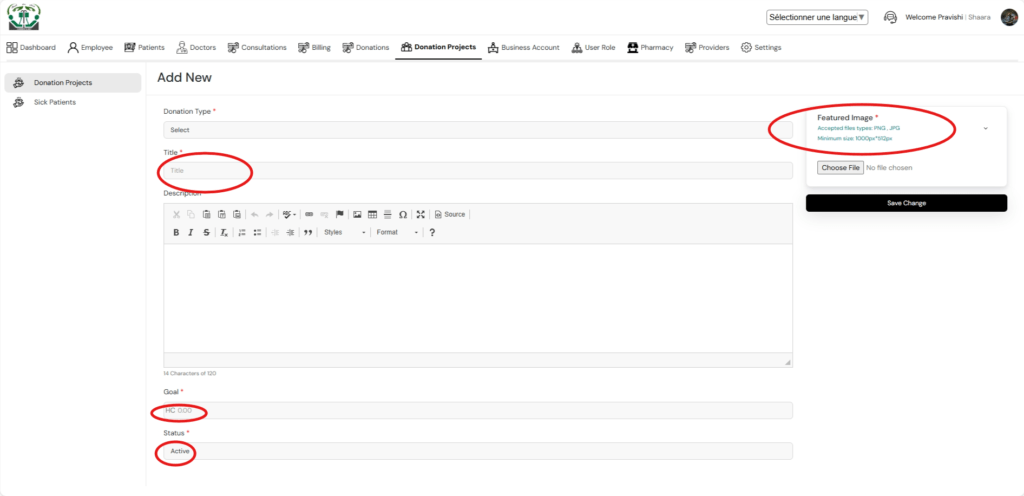
Donation for hospital projects is managed through the donation module. You click on Create Project and add a new project by entering the required details in the different fields. Most importantly, you need to set a realistic goal, follow the image resolution guides, and prepare a convincing description in order to attract and build the public’s trust for their support. You can follow our general guidelines in building your project or get an expert assistance for your project description. Once your project status is Active, your project will automatically appear for public donation on the mobile application “Heal the Sick”.

Leave a reply

Previous Post

Next Post

Recent Comments

Join Us
  • Facebook
  • X Network
  • Instagram
  • WhatsApp Channel

Stay Informed With the Latest & Most Important News

I consent to receive newsletter via email. For further information, please review our Privacy Policy

Advert

Loading Next Post...
Follow Us
Search Trending
Popular Now
Loading

Signing-in 3 seconds...

Signing-up 3 seconds...