How to manage consultations, admit and discharge patients

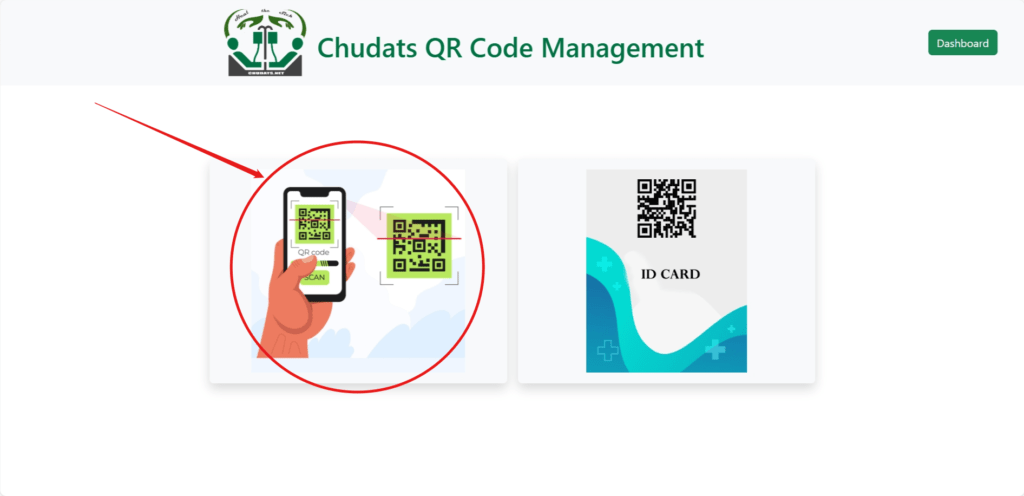
The consultation module is one of the most engaging modules with our system. Every patient needs to pass through this module before admission and/or treatment decisions are made. Before consulting a patient or an h-patient, the QR code ID is needed or if not available, the patient will need to log-into the patient panel and grant access to his or her full medical details. If the QR ID card is present, you should open the setting module and access the QR scanner.

QR code scanner

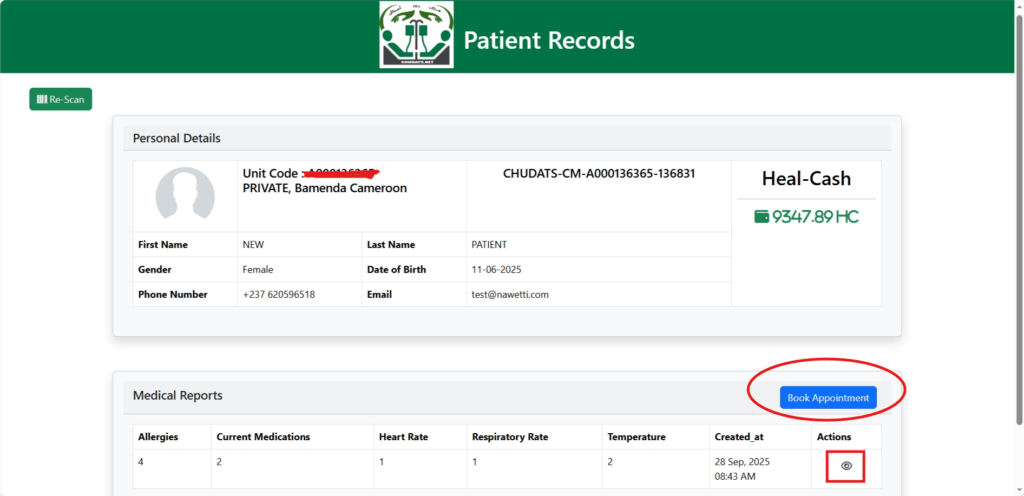
The scan will open the patient’s summary information and consultation command page where you can click book appointment to proceed to the consultation module. You can as well have instant access to the patient’s medical reports.

patient scan result

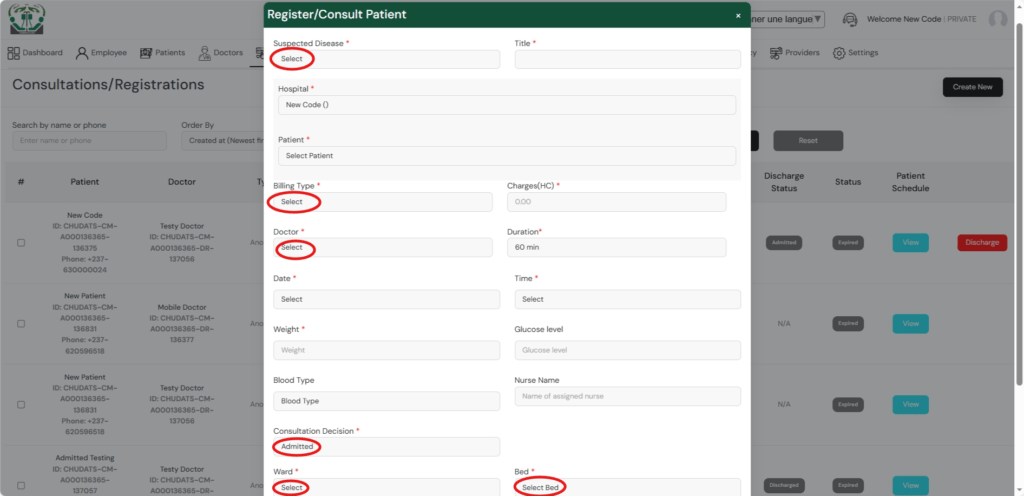
The next step is to consult the patient by assigning patient to an available doctor.

consultation form

The consult patient form has several fields to record the initial details of the patient. It begins with the suspected disease name. The name of the consulting health facility or the health facility that created the patient’s unique QR ID code, the name of the consulting patient, the choice of payment type, the available doctor to assign to patient and others. At the level of the consultation decision, the status of admitted or not-admitted is given. However, unless it is a case of an emergency, the patient is first of all assigned as not-admitted, and in case of diagnosis, the results warrant an admission, the patient will go through the second consulting process where the status of admitted is used and wards and beds options chosen for the admission.

0 Votes: 0 Upvotes, 0 Downvotes (0 Points)

Leave a reply

Recent Comments

Join Us
  • Facebook
  • X Network
  • Instagram
  • WhatsApp Channel

Stay Informed With the Latest & Most Important News

I consent to receive newsletter via email. For further information, please review our Privacy Policy

Advert

Loading Next Post...

Follow Us
Search Trending
Popular Now
Loading

Signing-in 3 seconds...

Signing-up 3 seconds...