Setup wards & beds availability, manage provider services

Wards and Beds

Our system provides a dynamic coordination of patient consultation, admission and discharge, thereby, an auto-recognition procedure for wards and beds availability during every patient consultation opportunity.

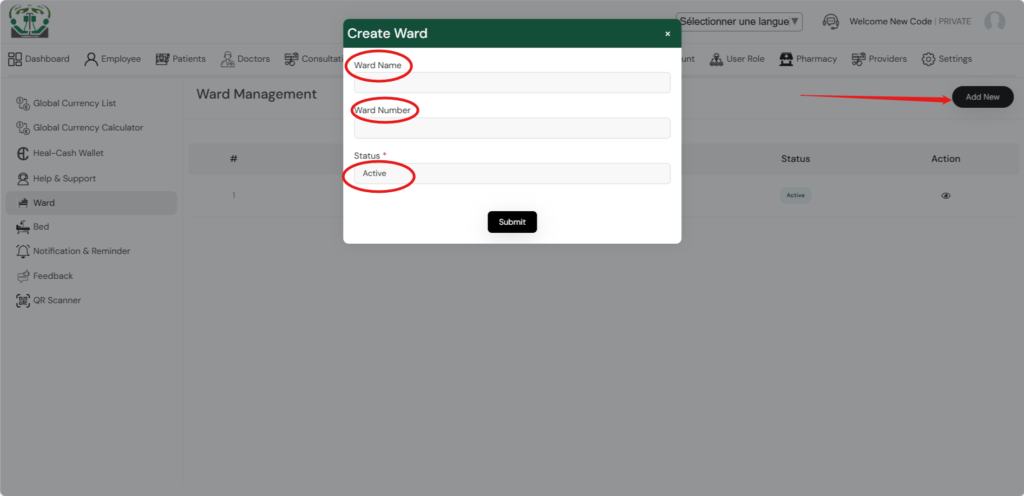
Using the setting module, you can add new wards as there exist in your subscribed health facility. Do so by giving names and numbers to your wards, and if the added wards are in use or ready for use, you change the status to active.

create_ward

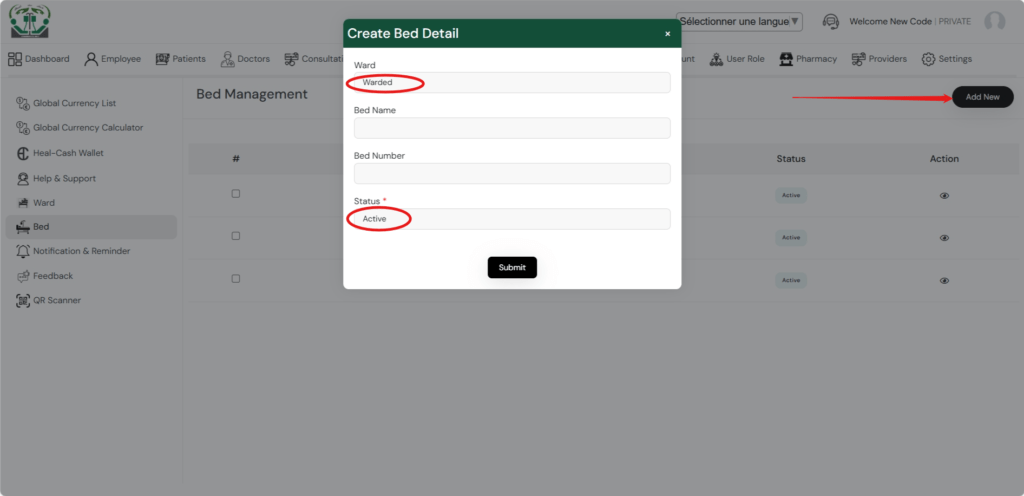
After adding wards, the next thing is to add the beds available within the wards and indicate if the beds are usable and active or not.

Create bed

Provider Services

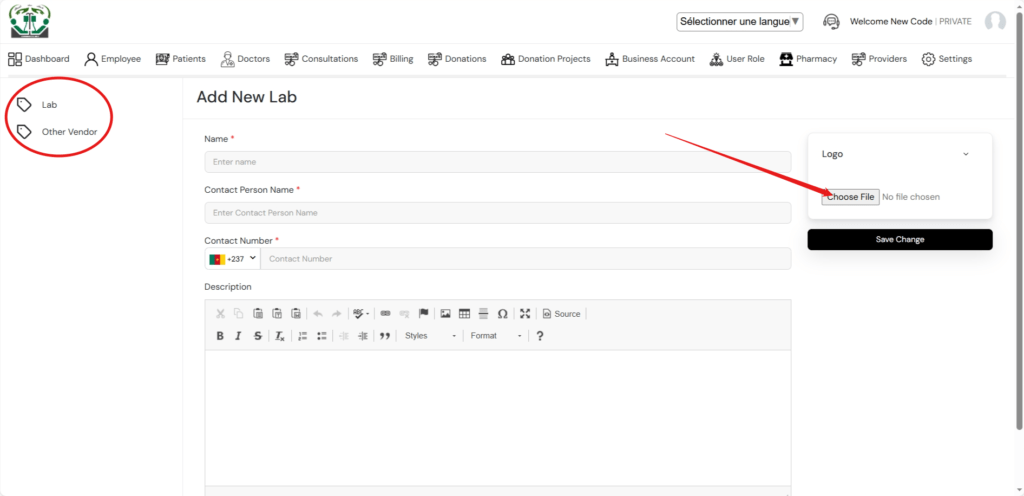
Service providers are added through the providers’ module. This simple involves inserting contact details and identification photos. The providers such as Labs, when added are identified in the patient billing options. Other service providers and contact details for the healthcare facility can also be added for other referential purposes.

provider services

0 Votes: 0 Upvotes, 0 Downvotes (0 Points)

Leave a reply

Recent Comments

Join Us
  • Facebook
  • X Network
  • Instagram
  • WhatsApp Channel

Stay Informed With the Latest & Most Important News

I consent to receive newsletter via email. For further information, please review our Privacy Policy

Advert

Loading Next Post...

Follow Us
Search Trending
Popular Now
Loading

Signing-in 3 seconds...

Signing-up 3 seconds...